|
User Guide | Index |
Round-Robin Table
Match Result Settings
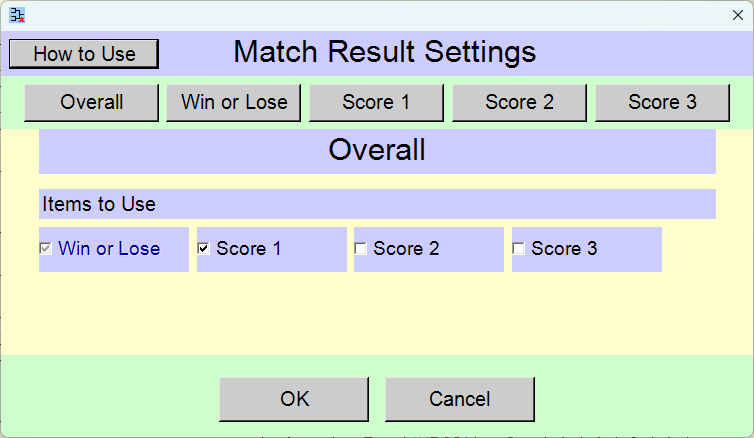
You can change settings of match results. Changing the number of items inputted as match results may alter the row height of the table.
 >
>
Change the settings and click the [OK] button.
Pressing the [Cancel] button reverts the settings to their state prior to the changes.
If the settings are configured to use [Win or Lose], [Score 1], [Score 2], [Score 3], the input fields will appear on the round-robin table in the [Result Input] scene.
Buttons for Selecting Items to Change

[Overall] button
You can change whether or not to use each item.
[Score 1][Score 2][Score 3] button
You can change the font size, font style, font family, and font color for each item.
Overall
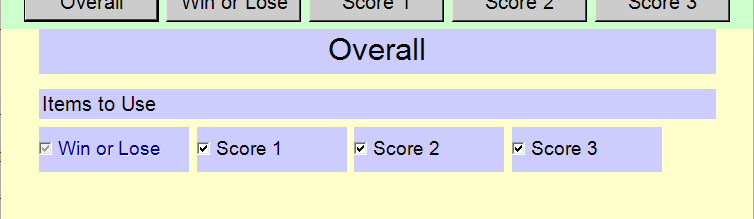
[Items to Use] check boxes
You can change whether or not to use each item. "Win or loss" is set to be used at all times.
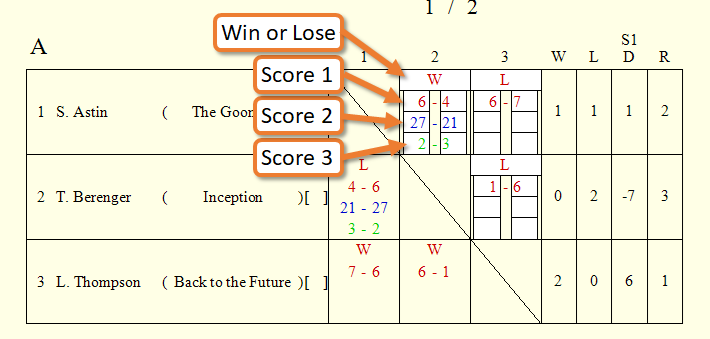
Settings of Each Item
[Win or Lose], [Score 1], [Score 2], [Score 3]
![Settings of [Win or Lose]](31_rrt_game_result_settings_31.png)
You can change the display settings for each item.
Top Settings Index