
|
User Guide | Index |
Round-Robin Table
Player Display Settings
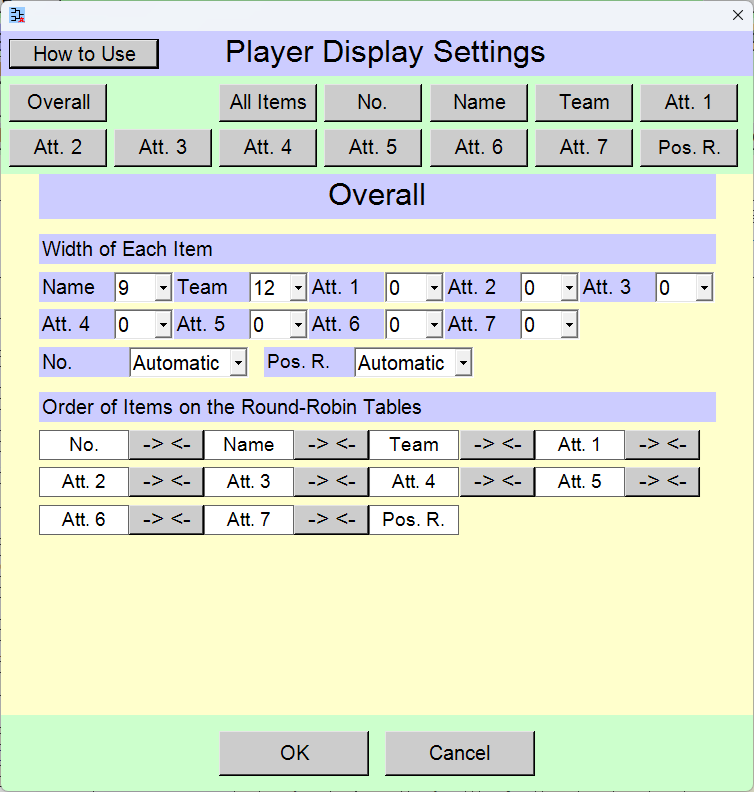
You can change settings of player display.
 >
>
Change the settings and click the [OK] button.
Pressing the [Cancel] button reverts the settings to their state prior to the changes.
[Contents for This Page]
- Buttons for Selecting Items to Change
- Overall
- Configure All Items at Once
- Settings of Each Item
[No.](Number), [Name], [Team], [Att. 1]-[Att. 7](Attachment), [Pos. R.](Position Rank on the Round-Robin Table) - [Pos. R.](Position Rank on the Round-Robin Table)
Buttons for Selecting Items to Change

[Overall] button
You can change width of each item, order of items on round-robin table.
[All Items] button
You can change the font size, font style, font family, and font color for all items ([No.][Name][Team][Att. 1]-[Att. 7][Pos. R.]) at once.
[No.][Name][Team][Att. 1]-[Att. 7][Pos. R.] button
You can change the alignment, parentheses, font size, font style, font family, and font color for each item. (Number, Name, Team, Attachment 1-7, Position Rank on the Round-Robin Table)
When settings of position rank on the tournament backet, you can also specify the range of ranks to display.
Overall
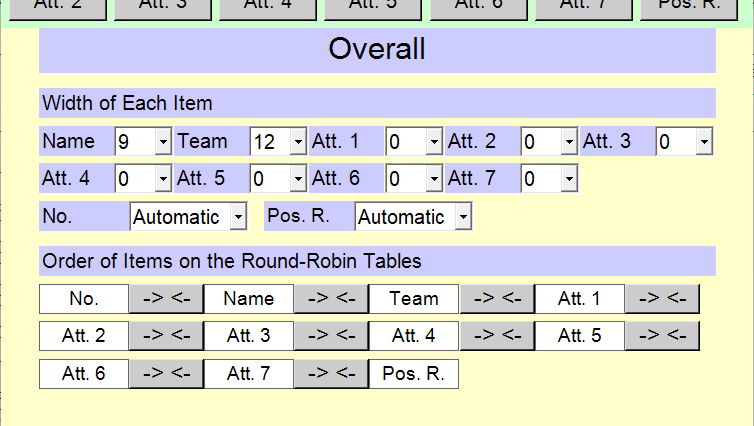
[Width of Each Item] selection field
You can change width of each item. Setting the item width to 0 hides the item.
[Order of Items on the Round-Robin Tables] sort button
You can change order of items on the round-robin tables. Click the [-> <-] button to change the order.
Configure All Items at Once
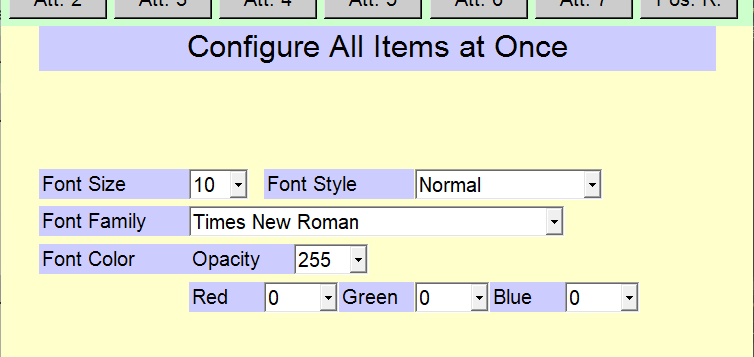
You can change the font size, font style, font family, and font color for all items ([No.][Name][Team][Att. 1]-[Att. 7][Pos. R.]) at once.
[Font Size] selection field
[5]-[20]
[Font Style] selection field
[Normal]
[Bold]
[Italic]
[Bold and Italic]
[Font Family] selection field
You can select from the fonts available on your Windows PC.
[Font Color] selection field
Opacity, Red, blue, and green, each ranging from [0]-[255]
Settings of Each Item
[No.](Number), [Name], [Team], [Att. 1]-[Att. 7](Attachment), [Pos. R.](Position Rank on the Round-Robin Table)
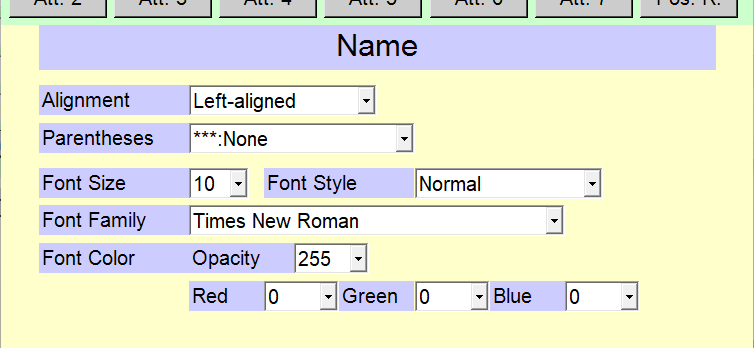
You can change the display settings for each item.
[Alignment] selection field
[Left-aligned]
[Right-aligned]
[Centered]
[Even Distribution]
[Parentheses] selection field
You can change parentheses of the item in front and in the back.
[***:None]
[(***)]
[[***]]
[{***}]
[<***>]
[ *** :Space]
[Font Size] selection field
[5]-[20]
[Font Style] selection field
[Normal]
[Bold]
[Italic]
[Bold and Italic]
[Font Family] selection field
You can select from the fonts available on your Windows PC.
[Font Color] selection field
Opacity, Red, blue, and green, each ranging from [0]-[255]
[Pos. R.](Position Rank on the Round-Robin Table)
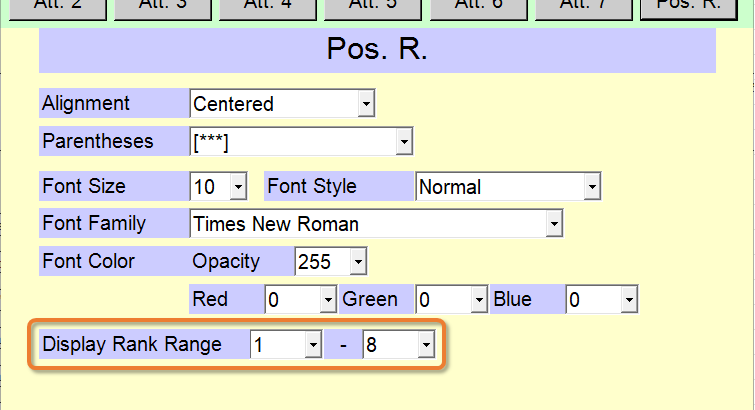
On the [Pos. R.] (Position Rank on the Round-Robin Table) settings, you can also change the range of ranks on the round-robin table displayed.
If you conduct an automatic lottery, the range of ranks displayed is automatically set by default based on the number of seeded players at the time the round-robin table is created.
Top Settings Index