TOURNAMENT BRACKET
ROUND-ROBIN TABLE
MANAGER
Application For Windows PC

You can easily create tournament bracket and round-robin table(s).
You can also use an automatic draw to disperse players from the same team.
You can output the content so that it fits within the specified paper or image size.
There are many features that help with tournament management.
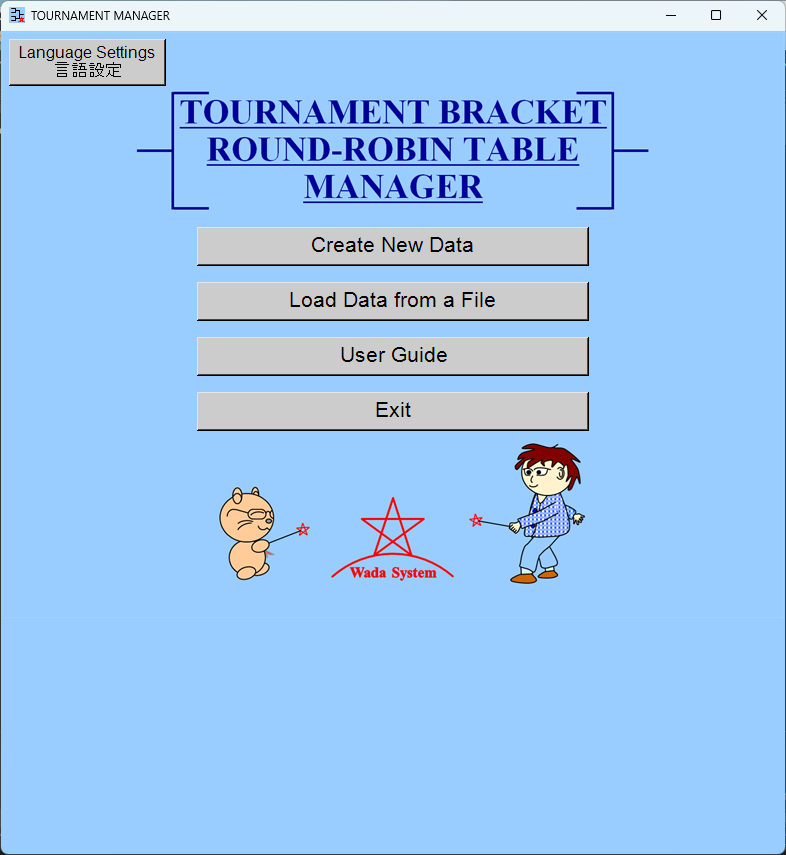
Currently Under Development
We are preparing for the launch.
Tournament Bracket
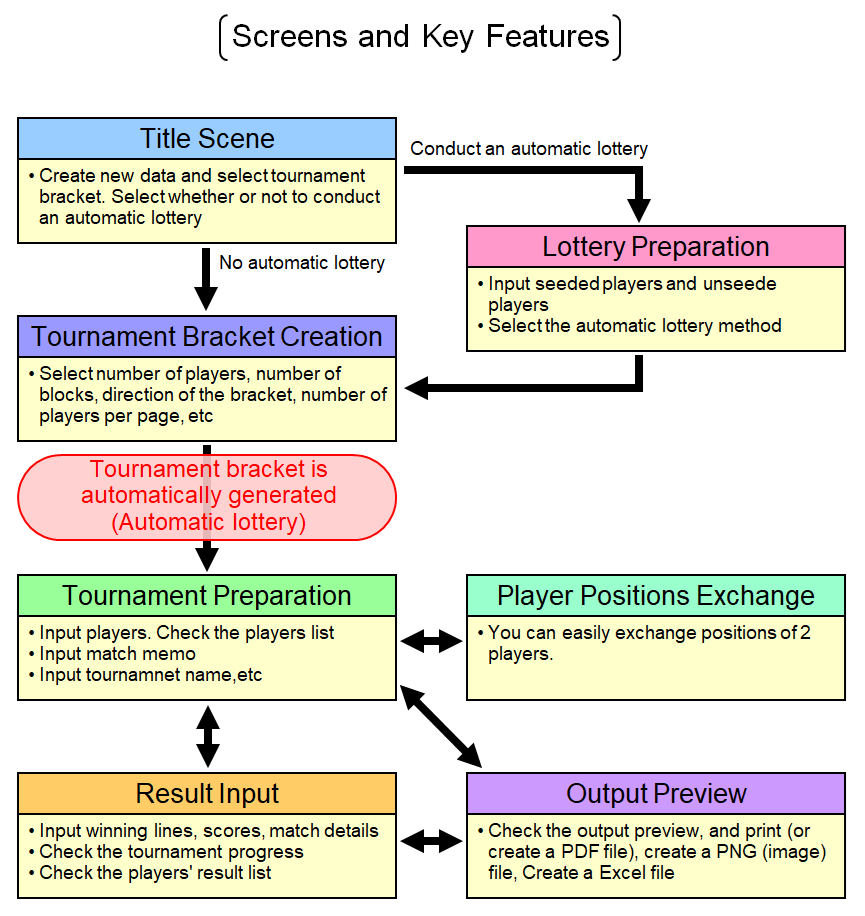
In this application, you will proceed with your work by navigating through several scenes.
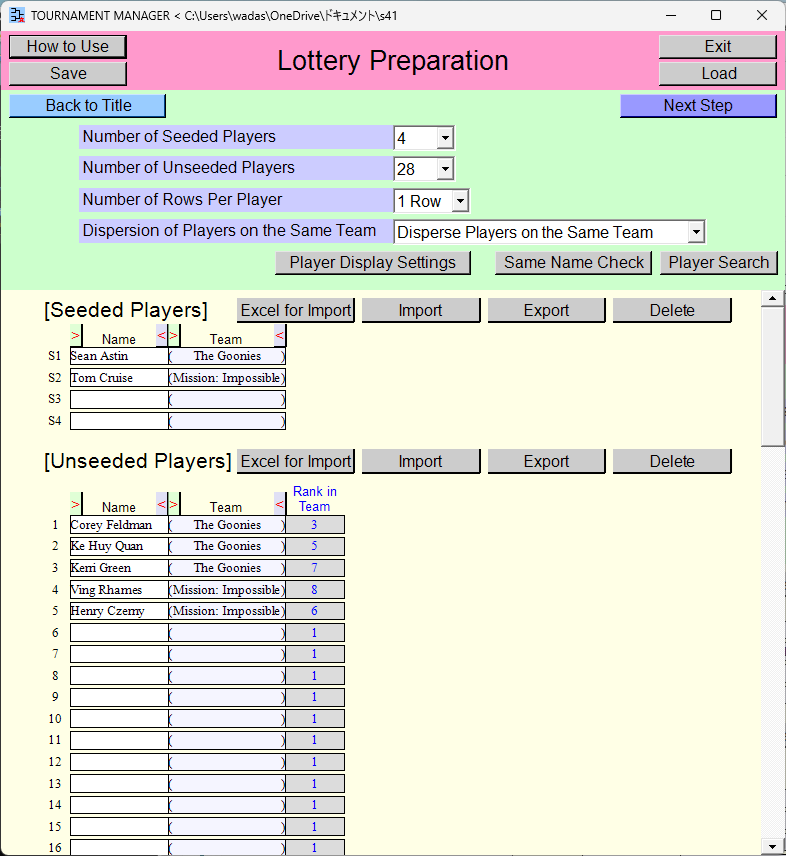
If you select to conduct an automatic lottery from the title scene, you will proceed to this scene.
Select the number of seeded players and the number of unseeded players. Select how to conduct the automatic lottery.
Input seeded players and unseeded players. You can also import players in bulk from an Excel file.
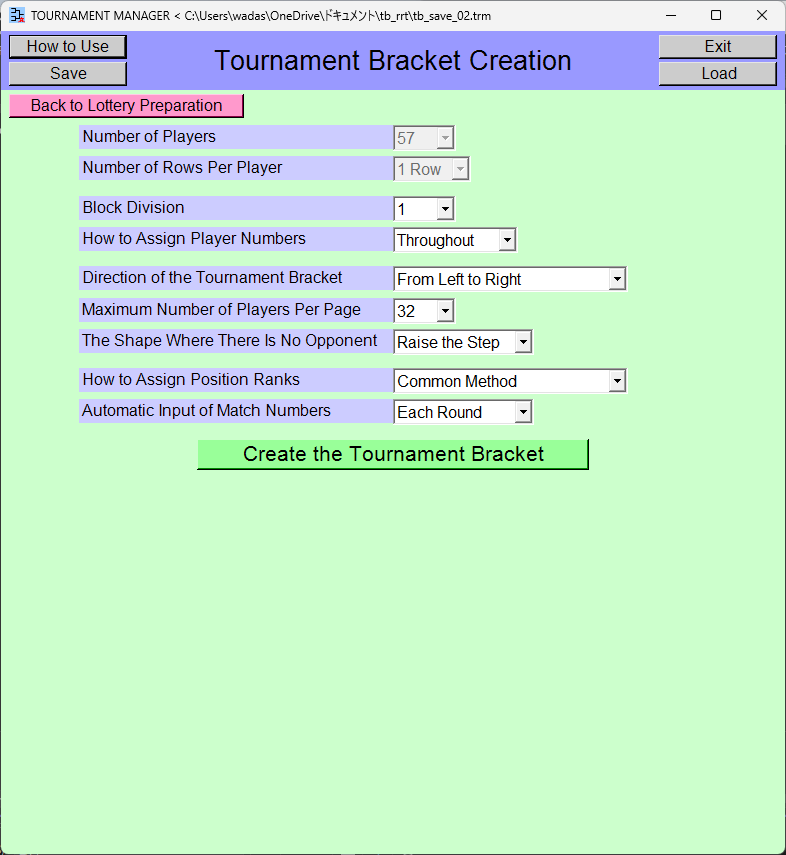
Select the shape of the the tournament bracket and other options.
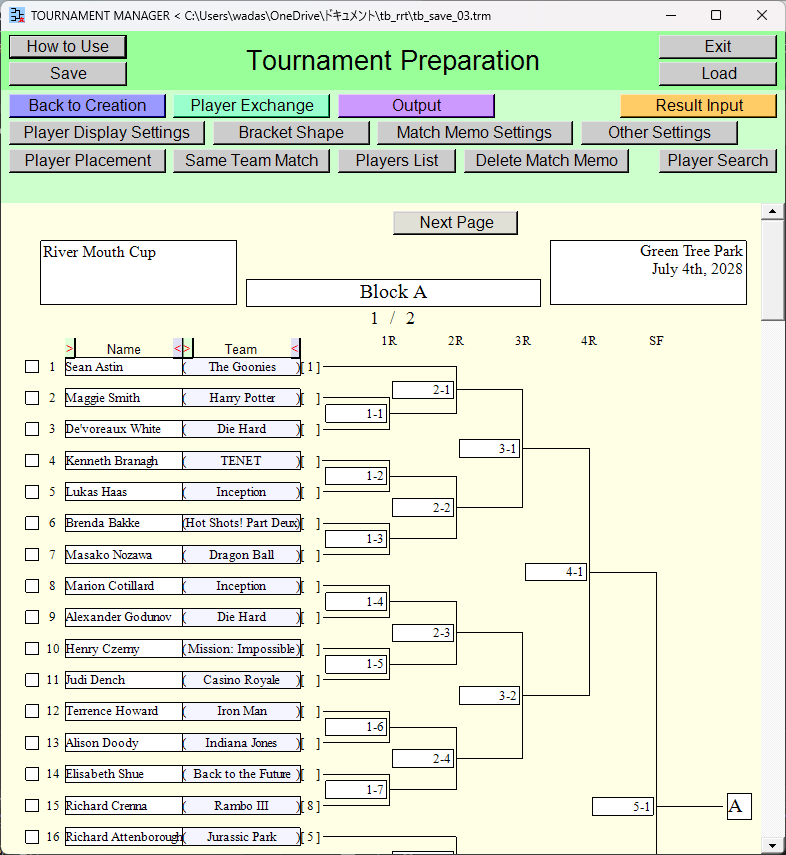
You can input players. If an automatic player lottery was conducted, the results have been inputted.
You can also import players in bulk from an Excel file. You can also automatically check for possibility of the same team match. You can also view the list of players.
You can input memos for each match.
You can input text above or below the tournament bracket.
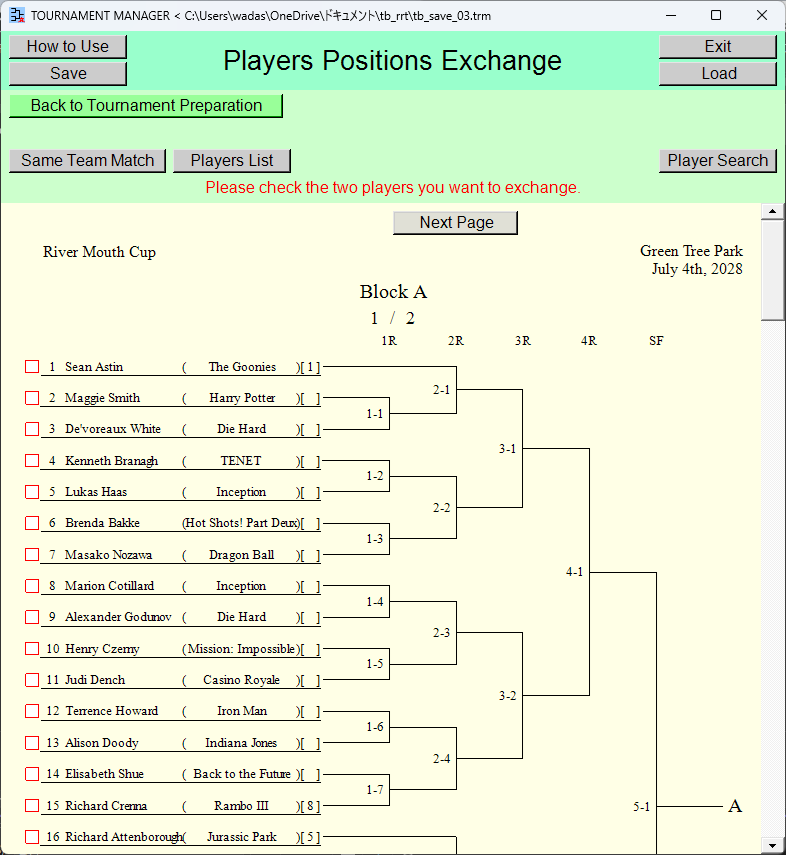
You can easily exchange positions of two players.
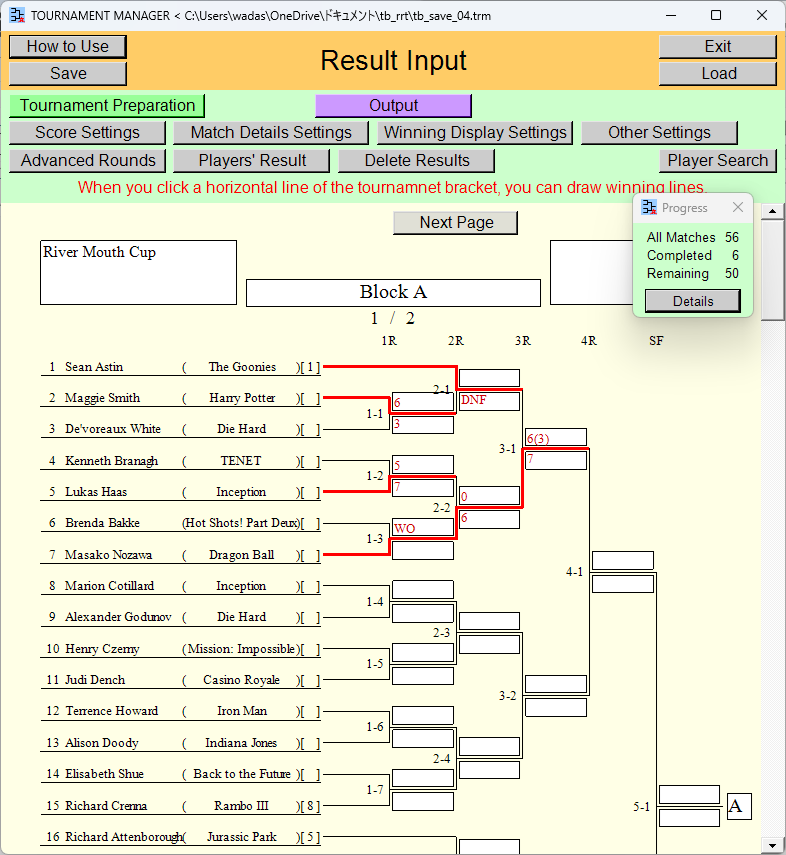
When you click a horizontal line of the tournamnet bracket, you can draw winning lines.
You can input scores for each match.
If you wish to input the details for each match on a separate window, that is also possible. Player names are displayed automatically and can be outputted (print [or create PDF file], create PNG [image] file, create Excel file), so it would also work well as a score sheet.
You can view the progress of the tournament. You can view the list of players' result.
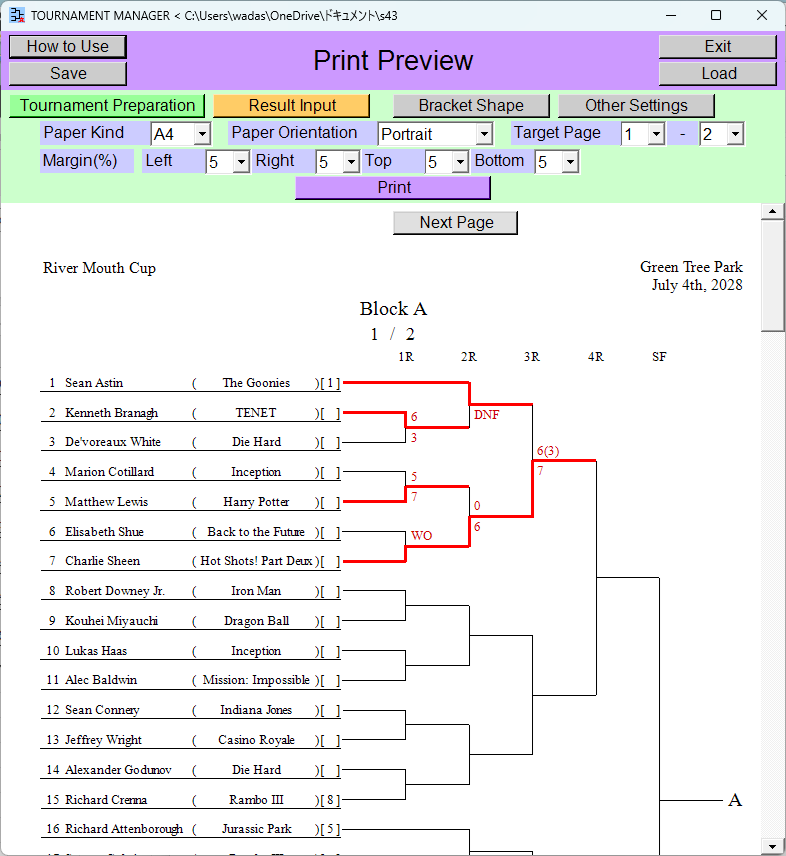
You can output (print [or create PDF file], create PNG [image] file, create Excel file) the tournament bracket.
*If you select printer [Microsoft Print to PDF] during the printing process, you can create a PDF file.
The tournament bracket is displayed to fit neatly within the paper or image size.
You can also change settings such as the tournament bracket shape and font size while viewing the output preview.
Round-Robin Table(s)
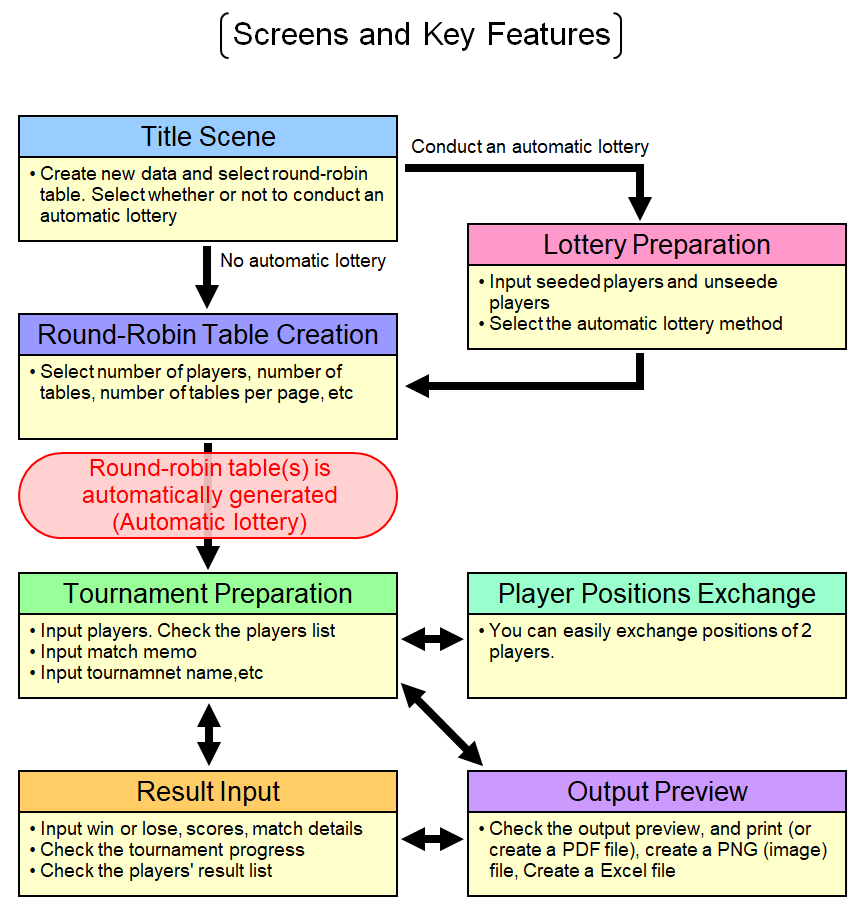
In this application, you will proceed with your work by navigating through several scenes.
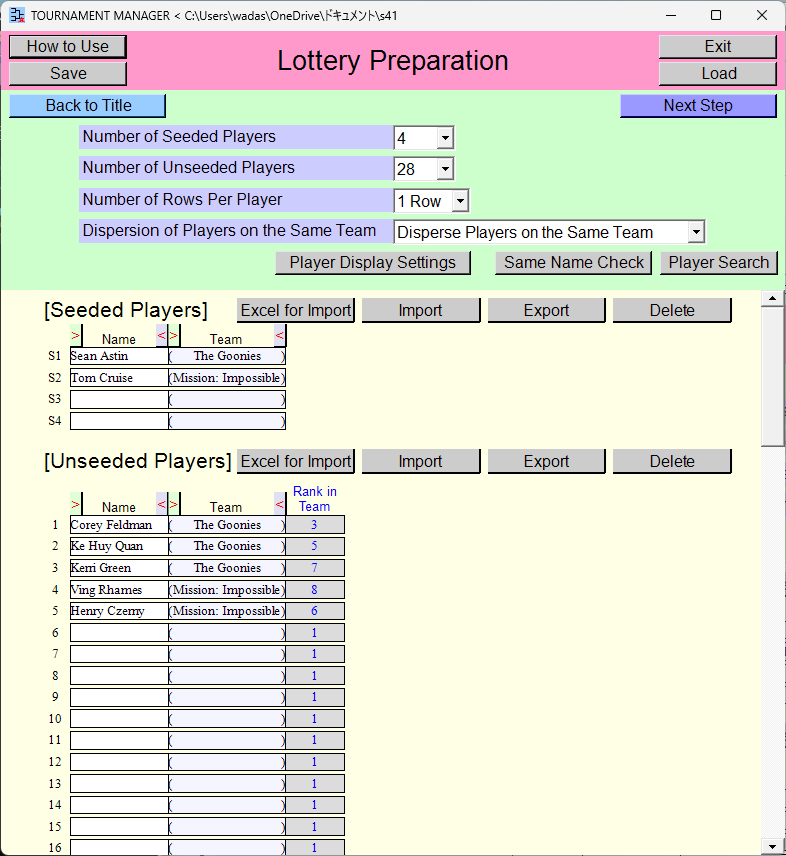
If you select to conduct an automatic lottery from the title scene, you will proceed to this scene.
Select the number of seeded players and the number of unseeded players. Select how to conduct the automatic lottery.
Input seeded players and unseeded players. You can also import players in bulk from an Excel file.
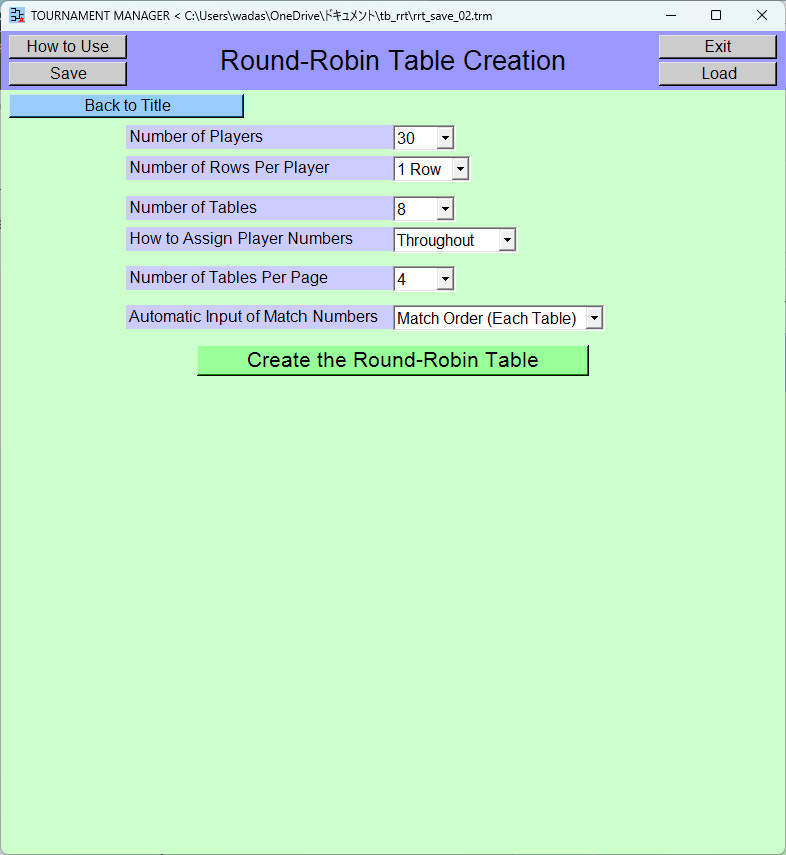
Select the number of players, the number of tables, and other options.
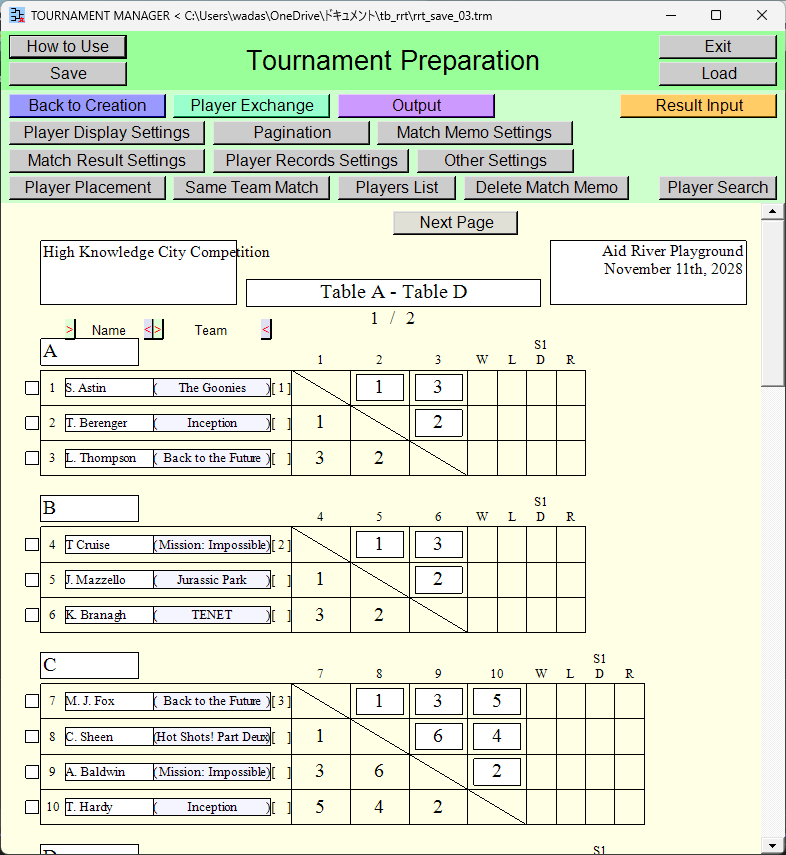
You can input players. If an automatic player lottery was conducted, the results have been inputted.
You can also import players in bulk from an Excel file. You can also automatically check for the same team match. You can also view the list of players.
You can input memos for each match.
You can input text above or below the round-robin table.
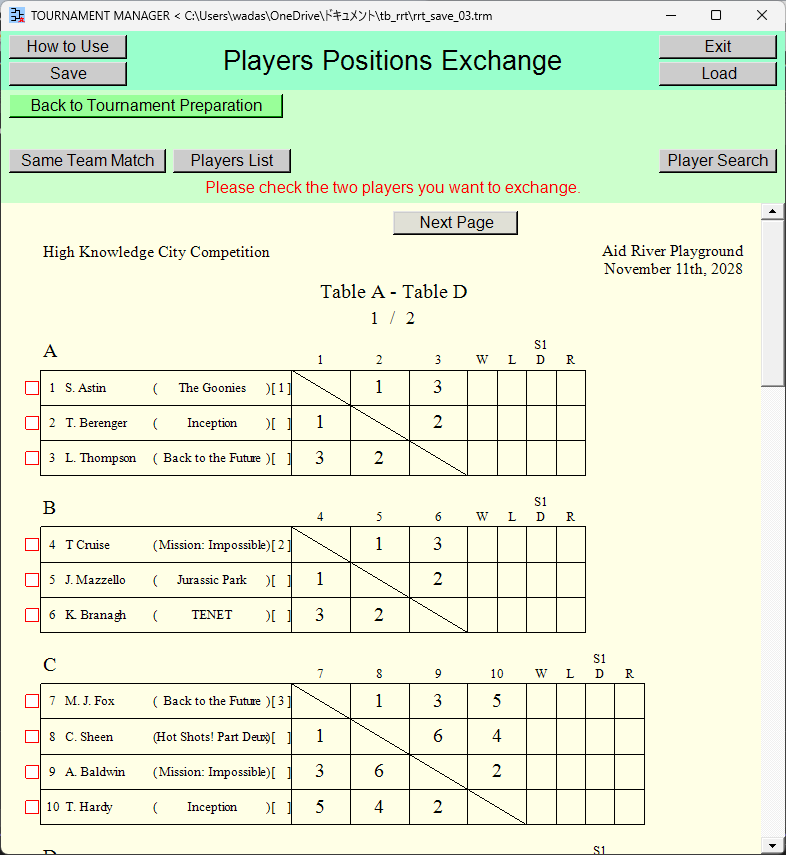
You can easily exchange positions of two players.
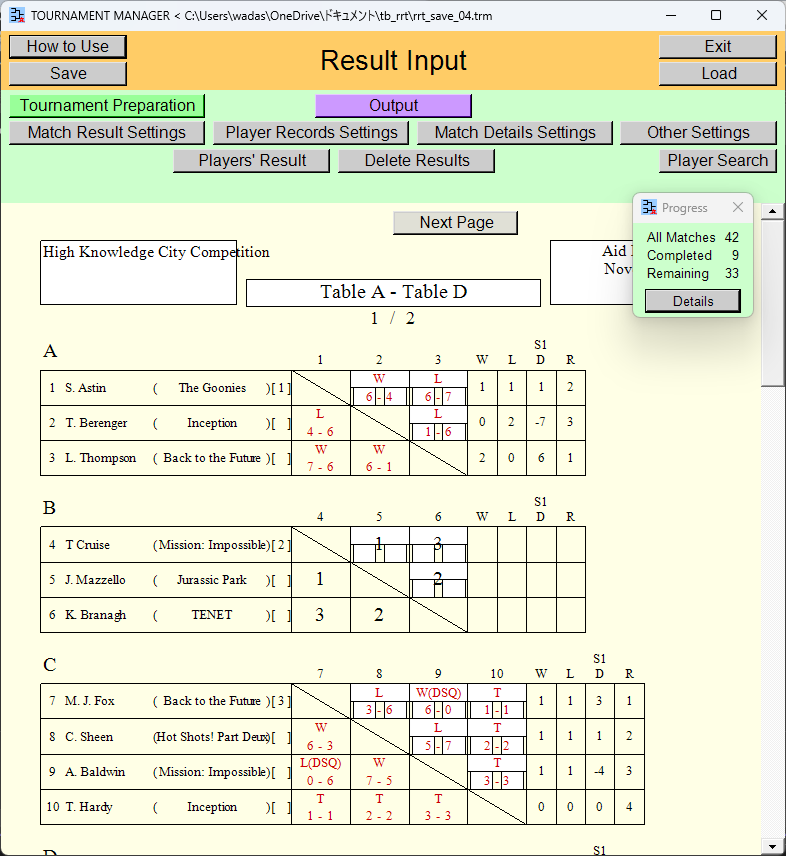
You can input win/lose and scores for each match.
If you wish to input the details for each match on a separate window, that is also possible. Player names are displayed automatically and can be outputted (print [or create PDF file], create PNG [image] file, create Excel file), so it would also work well as a score sheet.
You can view the progress of the tournament. You can view the list of players' result.
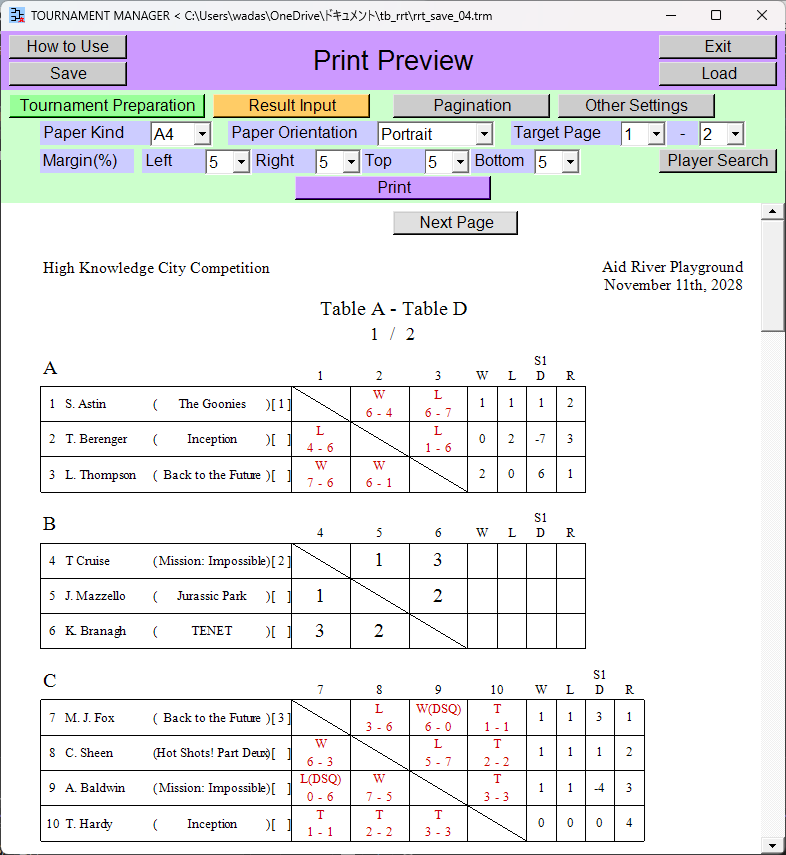
You can output (print [or create PDF file], create PNG [image] file, create Excel file) the round-robin tables.
*If you select printer [Microsoft Print to PDF] during the printing process, you can create a PDF file.
Output preview of the round-robin tables is displayed.
You can also change settings such as pagination and font size while viewing the output preview.
The Size of the Displayed Content
In this application, increasing the window width also increases the size of the displayed content.
![[When the window is at its initial size]](tbrrt_display_size_01.png)
![[When the window width is increased]](tbrrt_display_size_02.png)
System Requirements(Target OS)
You can use this application even on a computer that isn't powerful.
- Device: PC
- OS: Windows 10, 11
- Disk space: 250MB
This App Does Not Access Your Personal Information
This app does not access or collect any of your personal information or data from your device.